No more retyping. Nothing reaches Priority unchecked.
Invoices from email, orders from your e-commerce site, quotes from your CRM. LINKX reads each one, checks it against your rules and permissions, and updates Priority and your other systems. Your team only handles the exceptions.
 Live on Priority Works with email, WhatsApp, monday.com and Power BI


 Email · New file Updated
 A new file arrived by email: supplier invoice #4471 from Delta Supply (PDF, 3 pages).
- Permissions
- Data
- Rules
- Approval
- Proceed Created in Priority · supplier updated
- Wait for approval
- Block
Our clients





Take the typing, chasing and reporting off your team.
Start with the job that costs your team the most time. Click a product to see what it does. All of them run on the same engine, LINKX CORE.
LINKX CORE
The engine under every LINKX product. Build a flow once and it checks permissions and data, sends work to the right systems and logs every run.
LINKX OCR
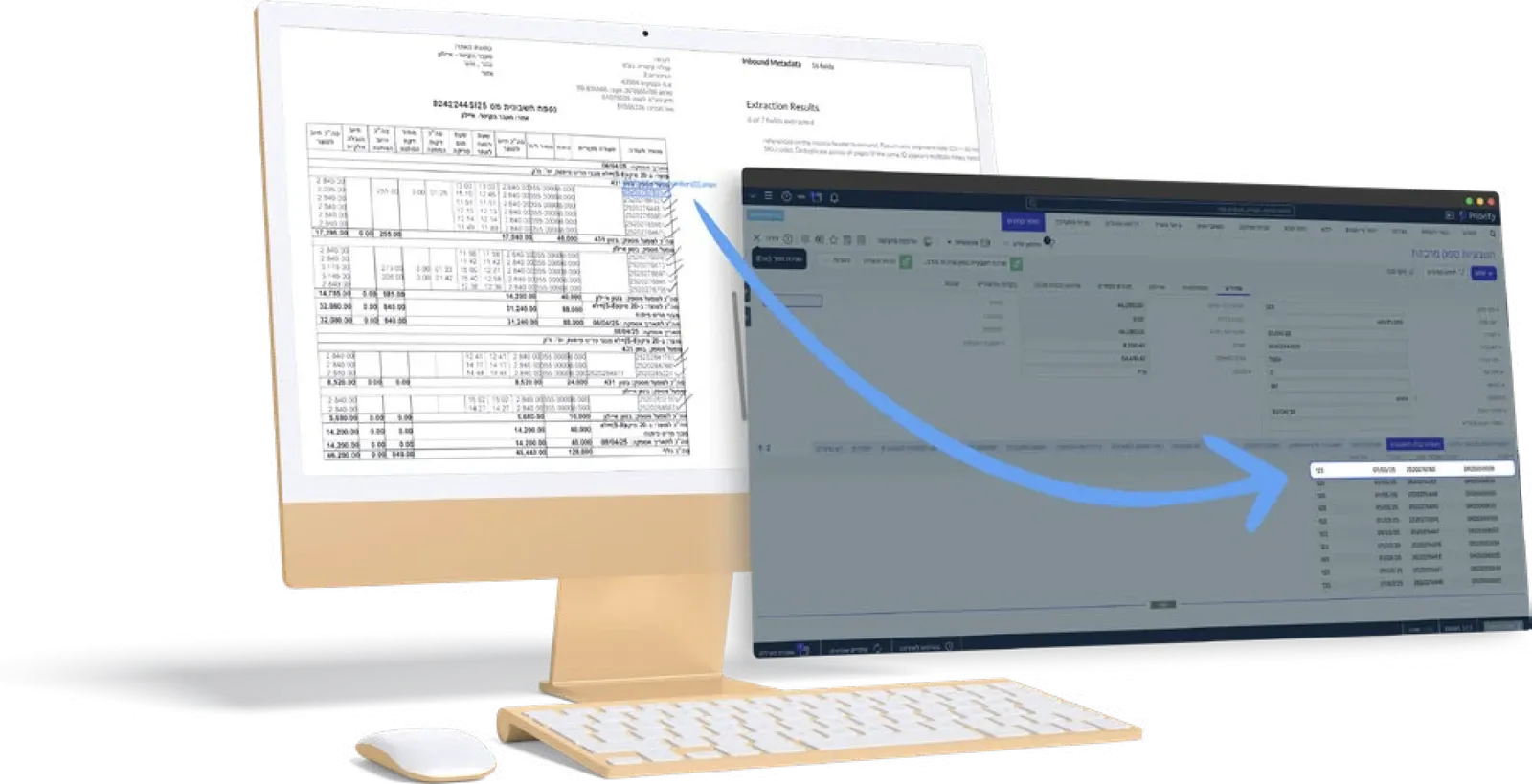
Invoices and delivery notes that arrive by email, WhatsApp or scan become ERP documents, checked against your records.
LINKX CHAT
Ask about live ERP data in plain language, and ask for an action in the same conversation.
LINKX BI
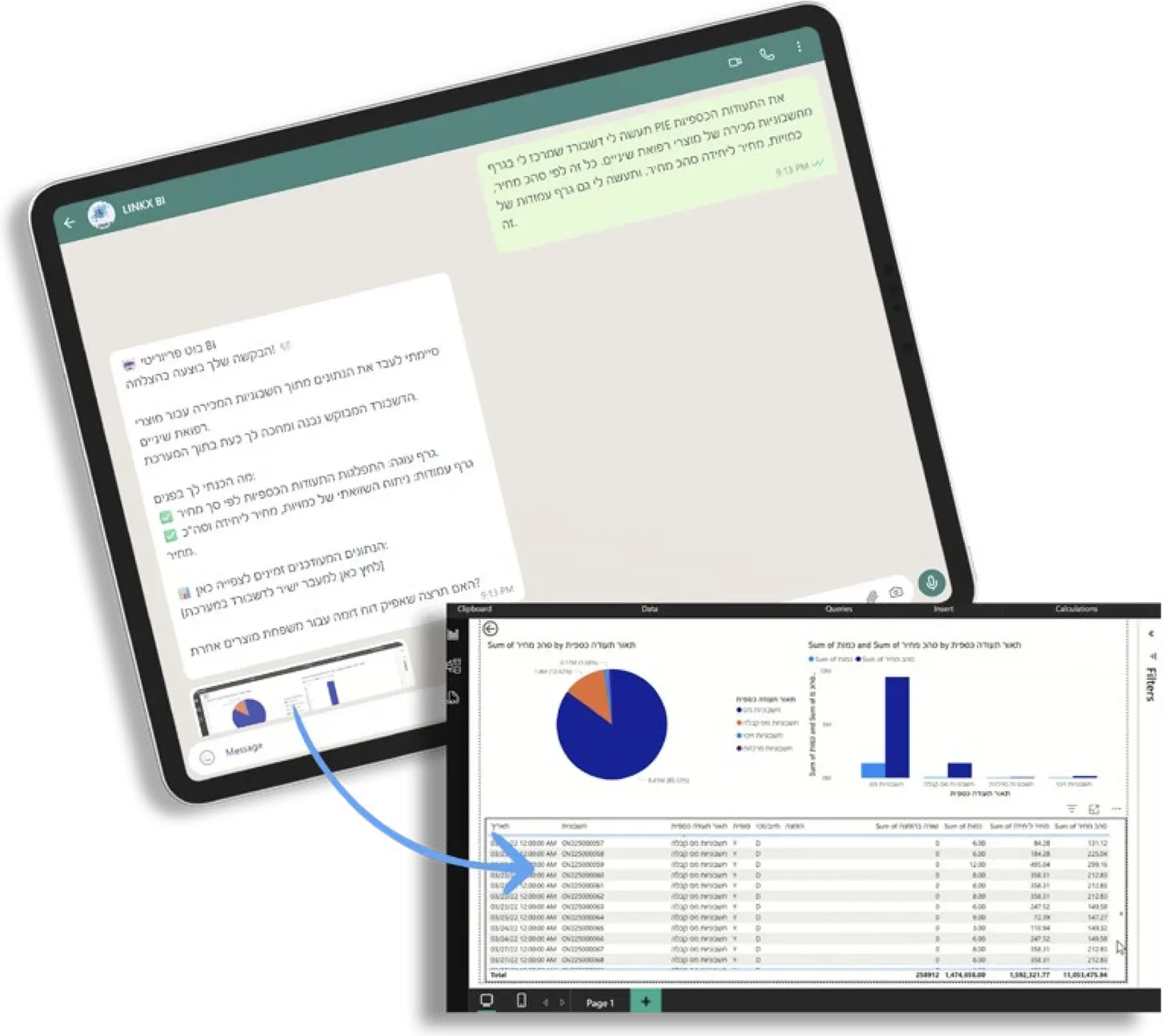
Ask for a chart in plain language and get a dashboard, with each team seeing only its own data.
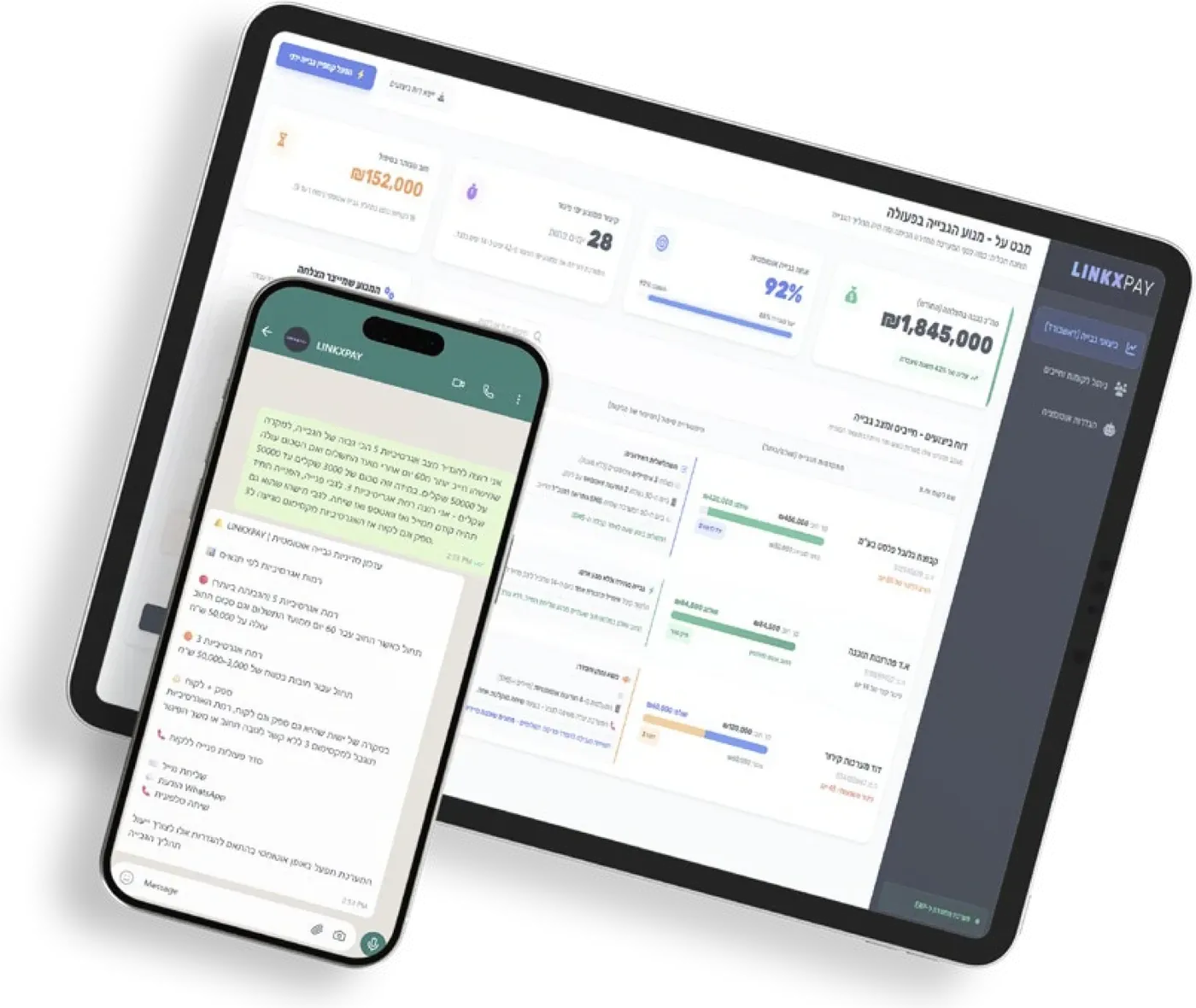
LINKX PAY
Follows up on overdue payments by email and messages, and passes a case to a person when it needs one.
LINKX INTEGRATIONS
Connect Priority with your e-commerce, CRM, email, WhatsApp, monday.com and Power BI, so every change shows up everywhere it should.
LINKX AGENTS
An agent that watches your ERP, spots problems early and acts on them, asking you first on anything sensitive. Not available yet.
See what's next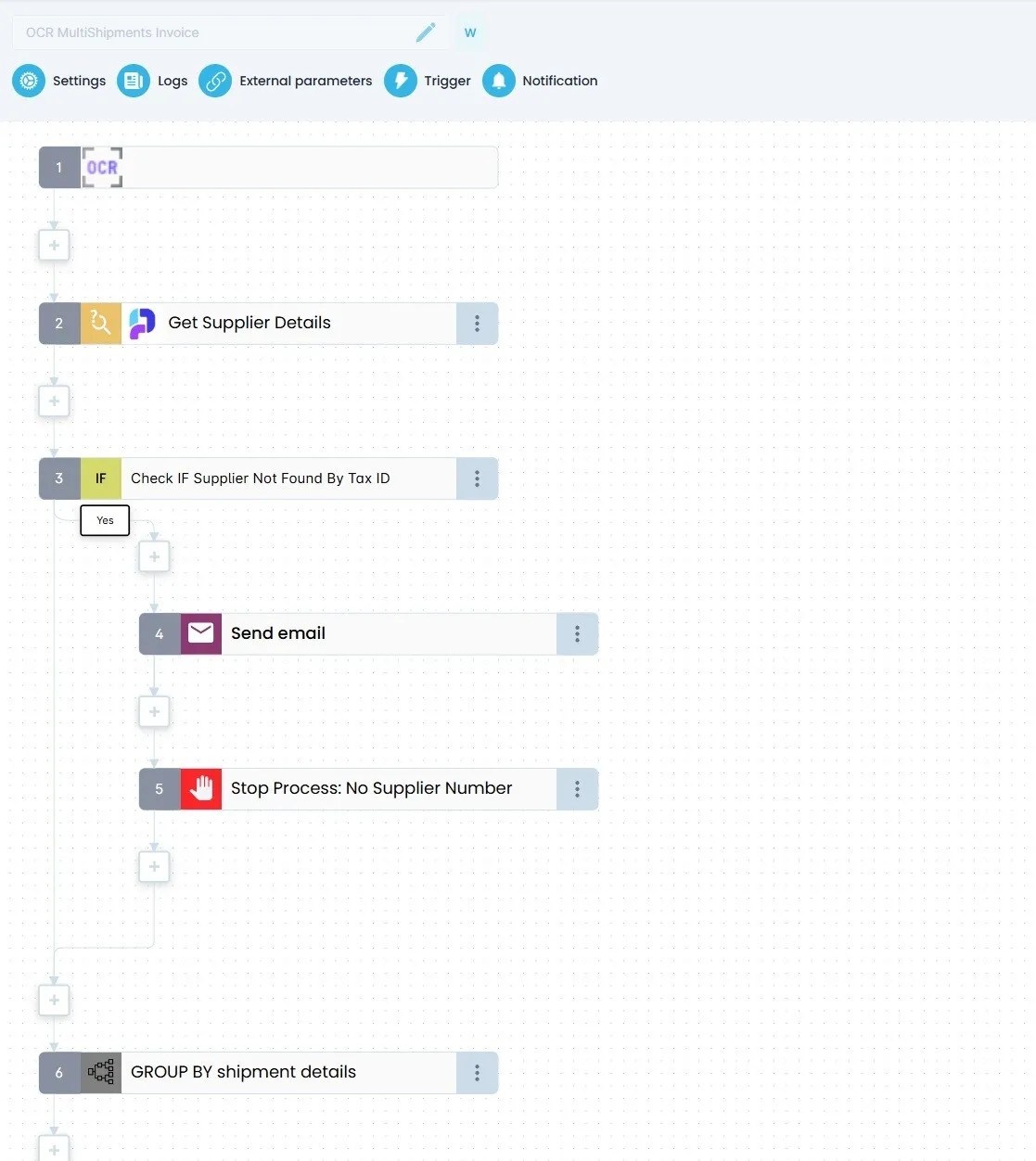
-
 Priority
 -
 Email
Email -
 WhatsApp
 -
 monday.com
 -
 Power BI
 - E-commerce
- CRM
 LINKX Agent Watching new invoices
 Invoice #4471 from Delta Supply is 12% above its purchase order.
- Matched to purchase order PO-2187
- Payment put on hold
- Credit note request drafted
Send the request to Delta Supply?
Approve SentOverpayment avoided: $1,260
-
LINKX CORE
The engine under every LINKX product. Build a flow once and it checks permissions and data, sends work to the right systems and logs every run.
Your rules run the same way every time. Exceptions reach the right person, and nothing runs unchecked.
-
LINKX OCR
Invoices and delivery notes that arrive by email, WhatsApp or scan become ERP documents, checked against your records.
No more retyping documents into Priority. Your team reviews the exceptions, not every page.
-
LINKX CHAT
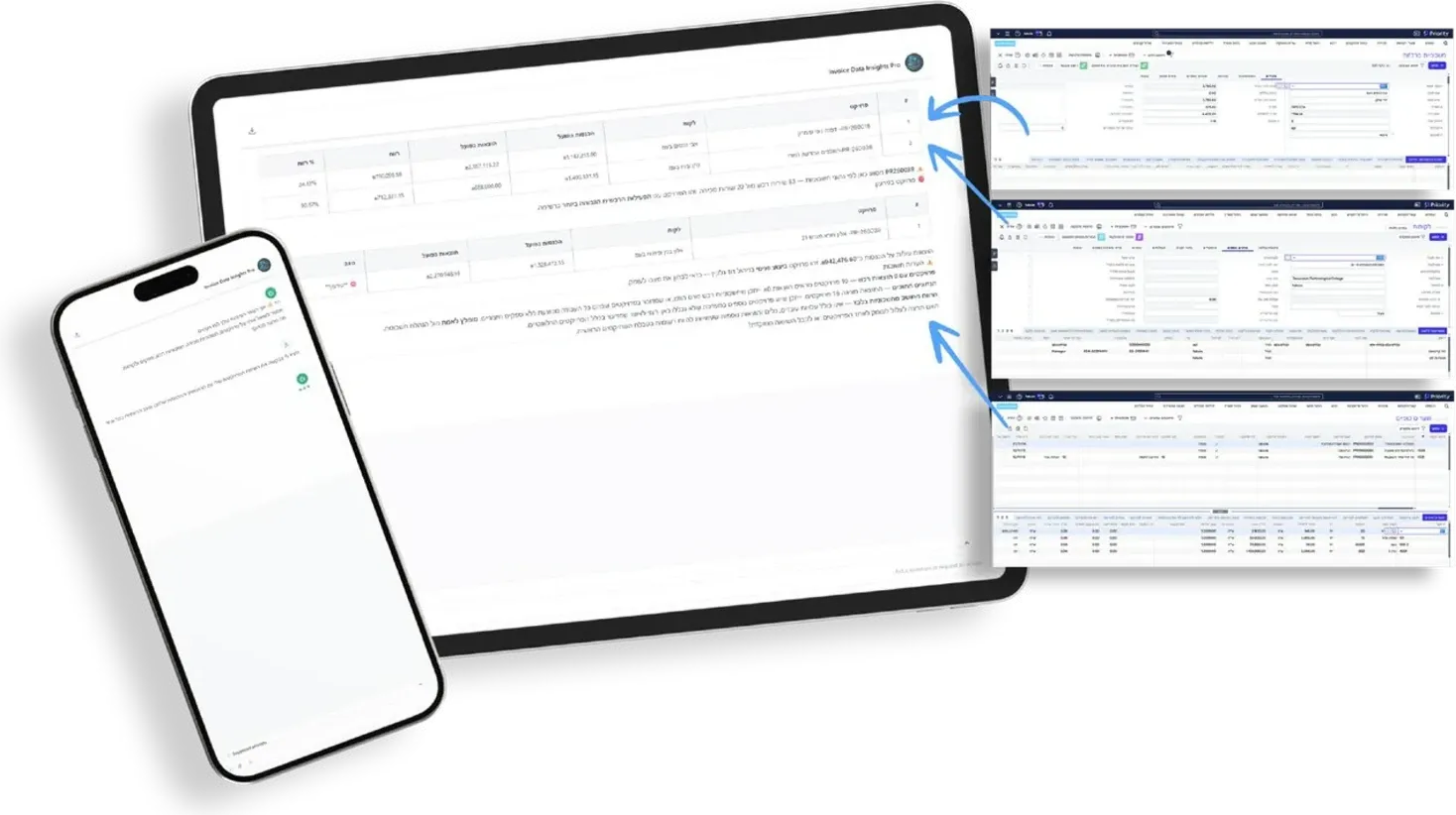
Ask about live ERP data in plain language, and ask for an action in the same conversation.
Get the answer right away, without waiting for a report or the one person who knows the ERP.
-
LINKX BI
Ask for a chart in plain language and get a dashboard, with each team seeing only its own data.
Managers get the numbers when they need them, and nobody sees data they should not.
-
LINKX PAY
Follows up on overdue payments by email and messages, and passes a case to a person when it needs one.
Every customer gets a follow-up on time. Your team steps in only when a case needs a person.
-
LINKX INTEGRATIONS
Connect Priority with your e-commerce, CRM, email, WhatsApp, monday.com and Power BI, so every change shows up everywhere it should.
Data moves both ways between Priority and your other tools, so nobody enters it twice.
-
LINKX AGENTS Soon
An agent that watches your ERP, spots problems early and acts on them, asking you first on anything sensitive. Not available yet.
LINKX Agent Watching new invoices Invoice #4471 from Delta Supply is 12% above its purchase order.
- Matched to purchase order PO-2187
- Payment put on hold
- Credit note request drafted
Send the request to Delta Supply?
Approve SentOverpayment avoided: $1,260
Planned: it works inside the same permissions, approvals and logs as every LINKX flow, so you stay in control.
See what's next
You decide what runs on its own and what waits for a person.
Routine work goes through automatically. Sensitive work waits for the right approver. Here is how that looks in each team.
-
Sales and orders
Routine orders go through on their own. Discounts and credit changes wait for a manager.
- Release a sales order
- Request a discount beyond policy
- Change a customer's credit terms
-
Procurement
New suppliers and changed terms are checked before anything is saved in the ERP.
- Add a supplier to the approved list
- Change a supplier's payment terms
- Cancel an open purchase order
-
Finance
Entries and payments follow your approval rules, with a record of who agreed.
- Post a journal entry
- Process a payment
- Write off a balance
-
Operations
Changes to production, stock and cost are checked first, so the numbers stay right.
- Create a production order
- Adjust inventory
- Adjust a standard cost
What does this manual work cost you today?
Move the sliders to match your team. The estimate updates as you go.
Calculated at $30 per hour. Employer costs and overhead are excluded.
Hourly rate
What one hour of this work costs you. Enter your own rate and the estimate follows.
Estimated manual effort
15
hours a week
780
hours a year
$23,400
USD in base salary per year
At 15 hours per week this work represents 780 hours and $23,400 in base salary per year. Calculated at $30 per hour over 52 weeks. This estimates current manual effort, not LINKX savings. Employer costs and overhead are excluded.
Everything you already use, connected to Priority.
Enter it once, wherever it starts. LINKX checks it and updates the other systems, so everyone works from the same numbers.
Where work starts
- Files and scans
- E-commerce orders
- CRM quotes
- Email and WhatsApp
A file, an order or a quote is all it takes to start a flow.
Where it shows up
-
 monday.com
 -
 Power BI
 -
 Email
Email -
 WhatsApp
Updated from the same record, so boards and reports match Priority.
ERP connection
 Priority: available today
 Checked against your rules before anything is written to Priority.
Coming: AI agents that work through the same permissions and approvals. See what's next
Set your rules once. Everything that acts on your ERP follows them.
Approval limits, supplier lists, who may release what: today these live in people's heads and in custom code. LINKX writes them down once, so every flow, and later every AI agent, works inside them.
AI agents, coming
 LINKX Agent Your AI assistant ERP vendor agent Custom-built agent
 Your ERP
-
One wrong click can cost real money.
A wrong payment, price or order is a financial event, whether a person or a program triggered it.
-
Your rules live in people's heads.
Approval chains, limits and exceptions sit with a few people and in custom code, so every new automation starts from zero.
-
Every new automation is a new project.
Custom builds take weeks and break when the process changes.
LINKX captures your rules once and applies them everywhere.
-
New automations in days, not weeks.
Approved steps are reused, not rebuilt.
-
Your team handles only the exceptions.
Routine work runs by itself. The rest waits for the right approver.
-
Every action checked and on record.
Permissions, rules and approvals apply before anything reaches the ERP.
Coming soon: an agent that does the routine work and asks you about the rest.
Tell it what you need, or let it watch for problems on its own. Either way it works inside your permissions, asks before anything sensitive, and shows you everything in one control panel.
Illustration of the planned experience, in two moments. In the first, an employee asks the LINKX Agent in chat to deal with late purchase orders. The agent runs a flow in LINKX, pauses for the employee's approval, sends a summary back, and the control panel shows runs, approvals and blocked actions. In the second, nobody asks: the agent notices that an invoice is above its purchase order, holds the payment, and asks the employee before it emails the supplier.

An agent that can act in your ERP has to earn your trust first. That is why it is built on the same permissions, approvals and logs as every LINKX flow.
Built by someone who has implemented ERP for years.
Guy Liany has spent his career inside ERP projects. LINKX is the tool he kept wishing he had on every one of them.

In every implementation, the same company rules had to be rebuilt by hand. LINKX captures them once, so any automation can use them safely.
- 10+ years Official Priority ERP partner
- 15+ years Building and implementing ERP systems
- Serial founder Founder of Prior-IT, co-founder of Corido
- Real pain LINKX comes from Guy's own work as an implementer
Common questions.
What stops a wrong action from reaching our ERP?
Every request is checked against your permissions, data and rules before it reaches Priority. Allowed actions run on their own, risky ones wait for the approver you named, and prohibited ones are never sent. Every decision is logged.
Does LINKX replace our ERP?
No. Priority stays your system of record. LINKX checks actions before they reach it and keeps your other systems in step with it.
Can we define our own rules and approvals?
Yes. LINKX uses your rules, limits and approvers. How they are set up, and who manages them, depends on your deployment.
Which ERP systems are supported?
Priority ERP is supported today. If you use another ERP, ask us to confirm support for your environment before you plan a rollout.
Are AI agents available?
Not yet. They are the next step. When they arrive they will work through the same permissions, approvals and logs as every LINKX flow, so you stay in control. See the preview under What's next.
What happens when a request needs approval?
It waits for the approver you named. Requests that meet your rules run on their own, so people only handle the exceptions.
Does the AI get direct access to our ERP data?
No. LINKX collects only what each request needs and returns the result. Your ERP and your full data are never opened up to the model.
Is every decision recorded?
Yes. Each request is logged with the context gathered, the rule that applied and the approval trail, so finance, operations and audit can see what happened.
How fast can we launch a new automation?
Because LINKX captures your rules once, a new flow reuses steps you have already approved. That is why new flows take days instead of weeks.
Can our implementation partner deploy and manage LINKX?
Yes. Flows are set up and monitored in the LINKX platform, including logs, triggers and notifications, so your implementation partner can deliver and maintain them.
Bring us one process. We'll show you how it would run.
Pick a real one: a supplier invoice, an e-commerce order, a price change. We'll show what would run on its own, what would wait for approval and what would be blocked.
- Your process, not a canned demo.
- Your rules and approvers, mapped with you.
- A clear answer on what you can safely automate.
Contact: info@linkx.co.il